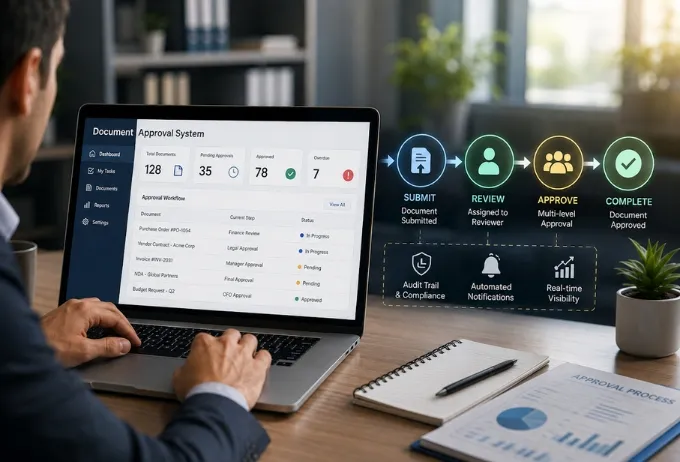
ERP CRM integration has become essential in 2026, because enterprises can no longer afford disconnected systems. Yet many organisations still run ERP and CRM platforms in isolation. The result is data silos that slow operations and spread inconsistent information across departments. Sales teams rely on the CRM for customer interactions. Finance and operations depend on the ERP for transactions and resource planning. When the two do not talk in real time, teams face delayed insights, duplicate data entry and costly reconciliation errors.
Moving to a production-grade link takes more than connecting two APIs. It needs an architecture that handles bi-directional flow, data mapping, validation, error handling, scale and governance from the first design decision. ICANIO's Application Development practice designs and builds these systems for enterprise clients. This guide covers the architecture, the reliability patterns and the governance that make ERP CRM integration work in production.

Key Takeaways
- ERP CRM integration gives sales, finance and operations one consistent view of each customer.
- Real-time data sync relies on event-driven triggers, not overnight batch jobs.
- Reliable data synchronization needs mapping, validation, idempotency, retries and monitoring.
- Most production programs combine event streaming with REST API integration in a hybrid design.
- Governance, security and audit trails must be designed in from day one, not added later.
What Is ERP CRM Integration?
ERP CRM integration connects two kinds of systems. Enterprise resource planning platforms manage finance, procurement, inventory and operations. Customer relationship management platforms manage sales, customer interactions and account data. Each works well within its own domain. Integrated, they form one operational layer. A customer record in the CRM reflects the same data as the matching account in the ERP. Changes to either flow to the other without manual work.
The practical impact of ERP CRM integration touches every business function. Sales teams see order status, invoice history and credit limits without leaving the CRM. Finance teams see the full customer context next to payment and billing data. Operations teams align fulfilment with sales commitments without waiting for manual transfers.
Why ERP CRM Integration Matters
Why invest in this at all? Because disconnected systems quietly cost time every day. People re-key data, chase colleagues for the latest figures and reconcile spreadsheets at month end. A well-built ERP CRM integration removes much of that manual effort. It also reduces the errors that creep in whenever the same data is typed twice. The benefits grow as more teams rely on the shared data.
Real-Time Data Sync: Architecture and Core Components
Traditional integration relied on batch processing. Data was updated periodically, often hours apart or in overnight cycles. In modern enterprises, that lag is hard to accept, and it undermines the purpose of ERP CRM integration. A sales representative updating a customer should see the current outstanding balance from the ERP right away. A finance team running collections should see the latest CRM activity before calling an account. Real-time data sync removes these delays. Any change in one system appears in the other within seconds.
Event-Based Triggers
Event-driven real-time data sync reacts instantly to change. When a new customer account is created in the CRM, an event triggers immediate synchronisation to the ERP. When a transaction completes in the ERP, an event updates the matching CRM record. This model is the foundation of low-latency ERP CRM integration at scale. Common technologies include Apache Kafka, Azure Service Bus and AWS EventBridge. The choice depends on the client's existing cloud platform and latency needs.
Where a source system in an ERP CRM integration cannot publish events directly, change data capture can help. Tools such as Debezium read database change logs and turn them into event streams. Many SaaS CRMs also offer webhooks that call an endpoint whenever a record changes.
Bi-Directional Data Flow
Production-grade ERP CRM integration must move data reliably in both directions. CRM updates, such as contact changes, opportunity stages or customer classifications, must reach the ERP quickly. ERP updates, such as payments, credit limit changes and delivery status, must be visible in the CRM. This needs careful conflict resolution. If both systems update the same record at once, the integration layer must apply a defined rule. It should never simply accept whichever update arrived last. Our team designs these rules around a clear source of truth for each data domain.
Data Consistency Under Load
In ERP CRM integration, real-time data sync must stay consistent during high volume, system failures and network interruptions. Idempotency means processing the same event twice produces the same result. That prevents duplicate records. Transaction checkpoints let the system resume from the last good state after an interruption. These guarantees separate enterprise-grade integration from point solutions that work in demos but fail in production.
Data Synchronization Design and Reliability
The reliability of ERP CRM integration depends on the data synchronization layer, not just on the connected systems. A good design handles the structural differences between ERP and CRM data models. It validates data before it enters either system. It also gives full visibility into the health of every flow.
Data Mapping and Standardisation
ERP and CRM systems use different structures, field names and relationship models. A customer entity in Salesforce has a different schema from an account in SAP or Oracle ERP. Effective data synchronization needs a mapping layer that translates between them. That means more than field-to-field copying. It covers type conversion, enumeration mapping, relationship resolution, and fields that exist in one system but not the other. Our team recommends mapping the full entity relationship model, so the integration does not break when a schema changes.
Error Handling and Data Validation
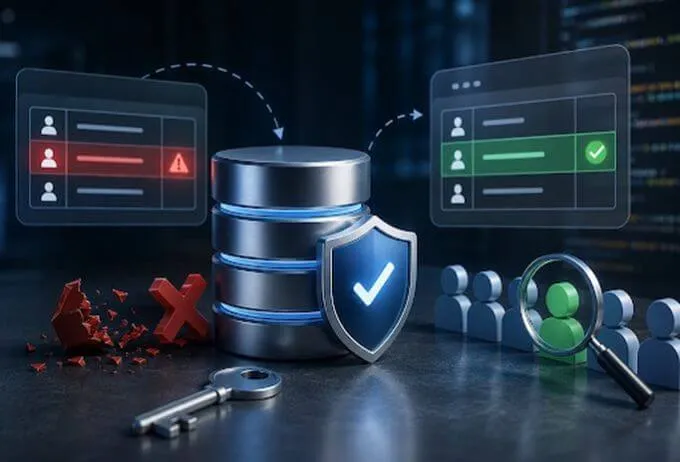
Integration systems must catch errors early instead of letting bad data spread. Validation rules should reject incomplete, malformed or out-of-range data before it lands. When a record fails, the integration layer should queue it, alert the right team and include enough context to fix it fast. Dead letter queues and automated retries with exponential backoff are standard parts of a robust design. The retry pattern on Microsoft Learn explains the trade-offs well.
Monitoring and Alerting
Monitoring dashboards give operations and IT teams continuous visibility into integration health. Key metrics include:
- Message throughput per flow.
- End-to-end latency from event to availability.
- Error and exception rates.
- Queue depth and consumer lag.
- Synchronisation lag between the two systems.
Alerts should fire on failures, delays or anomalies right away. Teams should not learn about problems from frustrated business users. We recommend feeding these metrics into the observability stack the client already uses, such as Datadog, Azure Monitor or AWS CloudWatch. Our guide to structured logging and production observability covers this in more depth.
API Integration for ERP CRM Integration Programs
API integration is the most widely used way to connect ERP and CRM systems. APIs allow direct, real-time exchange without modifying either platform. REST APIs suit synchronous cases where a system needs an immediate answer. Message queues and event streams suit asynchronous, high-volume cases where eventual consistency is acceptable. Production systems usually use both, routing each flow to the right pattern.
API integration for enterprises needs more than connecting endpoints:
- Authentication. Manage credentials securely, usually with OAuth 2.0 or strict key rotation.
- Rate limits. Throttle gracefully so integration traffic does not exhaust API quotas.
- Versioning. Plan for ERP and CRM vendors releasing breaking changes on different schedules.
- Pagination and bulk APIs. Use bulk endpoints for large loads instead of record-by-record calls.
- Timeouts. Set sensible timeouts so one slow system does not stall the whole pipeline.
Building these concerns into ERP CRM integration from the start prevents common production failures. Platforms such as SAP S/4HANA, Oracle ERP Cloud and Microsoft Dynamics 365 each have their own authentication models, limits and schema conventions. A mature ERP CRM integration team knows them before the first line of code.
Enterprise Integration Architecture: Middleware and Patterns
Large enterprise integration programs usually need a middleware layer for ERP CRM integration. Direct point-to-point links become hard to manage as systems multiply. Middleware handles transformation, routing, orchestration and central error handling. It decouples the two platforms, so a change in one API does not force changes to every connected flow. The classic Enterprise Integration Patterns catalogue describes many of these building blocks.
| Pattern | Best for | Typical use |
|---|---|---|
| Point-to-point API | Simple, low volume | First limited scope |
| Middleware platform | Many systems | Multiple ERP or CRM instances |
| Event-driven | High volume, low latency | Global real-time sync |
| ETL or ELT | Batch analytics | Migration and warehousing |
| Hybrid | Mixed latency needs | Most production programs |
The most effective enterprise integration designs combine event-driven messaging for high-volume flows with REST API integration for transactional operations that need confirmation. Matching each pattern to the data domain avoids over-engineering. Not every flow needs sub-second latency, and some are better served by eventual consistency.
Scalability: Handling Data Growth Without Complexity
As organisations grow, ERP CRM integration must handle more data and more complexity in the enterprise integration layer. A system designed for a modest daily event count can become a bottleneck at much higher volumes. Scalability must be part of the initial design, not a retrofit after performance drops.
Modular design splits the landscape into independently deployable components. Each aligns with a data domain, such as customer accounts, orders, invoicing or inventory. Components can then be scaled, updated or replaced without disrupting everything else.
Horizontal scaling of integration workers, message queue partitioning and database read replicas protect performance during peaks. Financial period close and seasonal demand spikes are common examples. Parallel processing lets several flows run at once. Auto-scaling adjusts capacity to demand instead of keeping peak capacity running all the time. This is where DevOps and cloud automation directly support ERP CRM integration.
Data Engineering and Analytics Benefits
A clean ERP CRM integration layer also helps data engineering teams. Events that flow between ERP and CRM can be streamed into a data warehouse or lake. That gives analysts a single, timely view of customers, orders and revenue. It also creates a reliable foundation for machine learning and artificial intelligence use cases, such as churn prediction or demand forecasting.
Governance and Compliance in ERP CRM Integration
Data governance must be built into ERP CRM integration from the first design, not added after go-live. The table below summarises the core requirements.
| Requirement | How it is implemented |
|---|---|
| Audit trails | Log every movement and transformation |
| Data security | Encrypt in transit and at rest |
| Access control | Least privilege for service accounts |
| Compliance | Align flows with GDPR and sector rules |
| Data residency | Keep personal data in permitted regions |
For organisations under GDPR or similar regulation, residency rules can be enforced at the middleware layer. This keeps personal data from passing through regions where it should not go. Audit completeness matters most in financial services and healthcare. Regulators may ask for evidence that specific transformations happened in a set order at a set time.
Measuring ERP CRM Integration Success
Successful ERP CRM integration programs are measured by business outcomes, not technical milestones. The best metrics reflect what the business cares about. How quickly do sales teams get financial context? How accurately do finance teams see pipeline data? How reliably do operations teams receive the commitments they need for planning? Capture a baseline before go-live, so the program has clear accountability.
Useful KPIs include end-to-end data latency, daily error and exception rates, manual interventions per week and adoption among business teams. A low error rate combined with high adoption is a strong signal. It shows that people trust the data and have stopped keeping parallel spreadsheets. Our team builds measurement into every engagement, so problem flows are spotted before they become business issues.
A Simple ERP CRM Integration Rollout Plan
Our team recommends a phased approach. It keeps risk low and lets each phase prove its value before the next begins:
- Start with one high-value domain, such as customer accounts.
- Agree the source of truth and conflict rules for that domain.
- Build, test and monitor the flow in a staging environment.
- Go live, measure against the baseline, then add the next domain.
- Review conflict logs and user feedback, then refine mapping rules where needed.
For related reading, see our ERP integration automation case study and our guide to SQL Server ACID and isolation levels, which matters for transactional consistency. You can also explore ICANIO's application development services.
Conclusion
ERP CRM integration turns two isolated systems into one source of operational truth. Done well, it removes duplicate entry, shortens decision cycles and gives every team the same current view of the customer. Done poorly, it spreads errors faster than any manual process could.
The difference lies in architecture: event-driven real-time data sync, robust data synchronization design, careful API integration, and governance from day one. If you are planning or repairing an ERP CRM integration, contact ICANIO to discuss your systems with our team.
References
- Enterprise resource planning (Wikipedia)
- Customer relationship management (Wikipedia)
- Change data capture (Wikipedia)
- Apache Kafka documentation
- Debezium documentation
- Enterprise Integration Patterns
- OAuth 2.0
- Microsoft Learn: Retry pattern
Frequently asked questions
What is ERP CRM integration?
ERP CRM integration connects enterprise resource planning and customer relationship management systems so data flows between them automatically. It keeps sales, finance and operations working from the same current information. It removes data silos and the need for manual transfers between systems. The result is fewer errors, faster decisions and a consistent view of every customer.
Why is real-time data sync important for ERP CRM integration?
Real-time data sync ensures every system reflects current information almost immediately. That supports faster decisions, fewer errors from stale data and smoother cross-team workflows. When sales, finance and operations depend on the same data, batch delays create friction in every process. Event-driven sync removes that friction and keeps customer, order and payment records aligned throughout the day.
What are the main challenges in ERP CRM integration programs?
Common challenges include mapping between different schemas and resolving conflicts when both systems update the same record. Teams must also manage API rate limits and version changes. Keeping data synchronization consistent during peak periods is another. Finally, governance and compliance need to be embedded in the architecture from the start rather than added after go-live.
How does API integration work for ERP and CRM systems?
API integration lets ERP and CRM systems exchange data through defined interfaces. REST APIs handle synchronous operations that need immediate confirmation. Message queues and event streams handle high-volume asynchronous flows. Most production programs use both patterns. Each data flow is routed to the approach that best fits its latency and reliability needs, which keeps the design simple and robust.
How do enterprises ensure data security in ERP CRM integration?
Security comes from encrypting data in transit and at rest and using role-based access for service accounts. Complete audit logs of every movement and transformation are also essential, along with regular credential rotation. Regulated organisations must align flows with GDPR or sector rules. They may also need data residency controls that restrict where personal data is processed.
How long does an ERP CRM integration project take?
Timelines depend on the number of systems, data domains and the quality of existing data. A focused first phase covering one domain, such as customer accounts, is often delivered far faster than a full program. Our team recommends a phased rollout. Each domain goes live, is measured against a baseline, and then the next domain follows.